All-in-one AI platforms for video production have reached a new level. In just one week, ByteDance’s CapCut received an expanded AI toolkit—text-based editing, AI Clipper, EditPilot, auto-framing, relighting, and speech generation. Fetra AI launched an all-in-one generator “from prompt to final video.” Xelta.ai expanded its platform to a full cycle: AI video, images, voice, ads, and social content. For content teams, these aren’t just new features—they represent a shift in production workflow logic.
The key question for editorial and video teams is: when does an all-in-one platform provide real time and resource savings, and when does its use create risks in terms of quality, localization, and data governance? The answer depends on production volume, format, localization requirements, and governance constraints. We analyze the practices, limitations, and specific workflows for three platforms.
What is All-in-One AI Video Editing
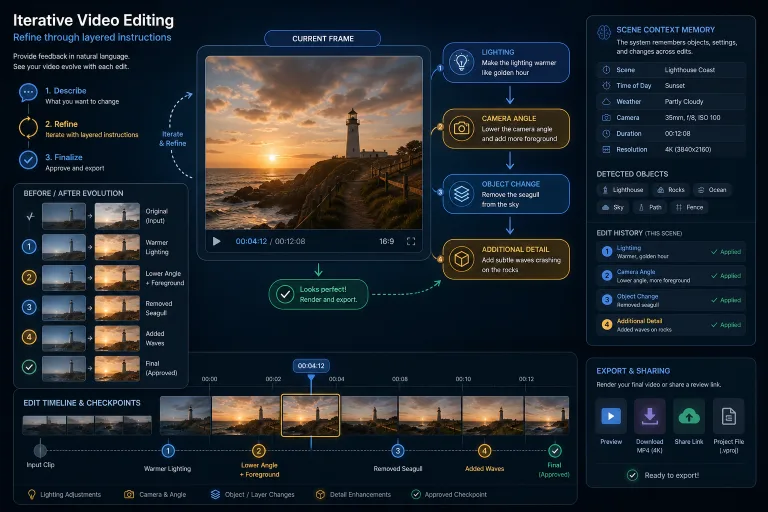
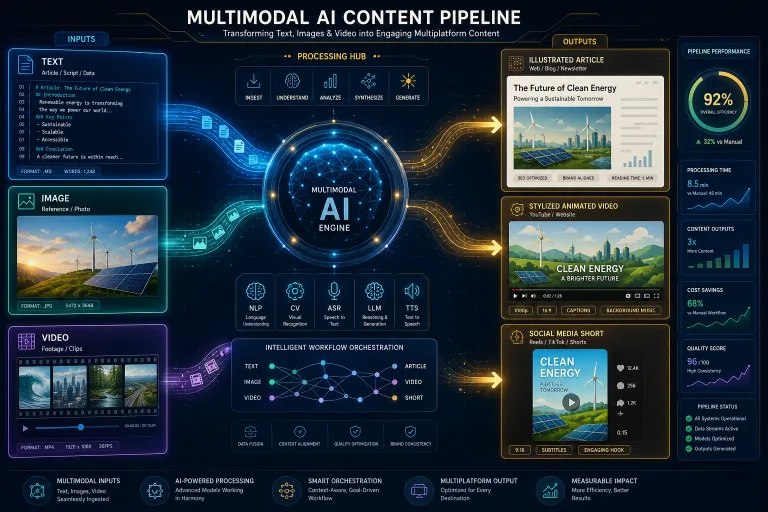
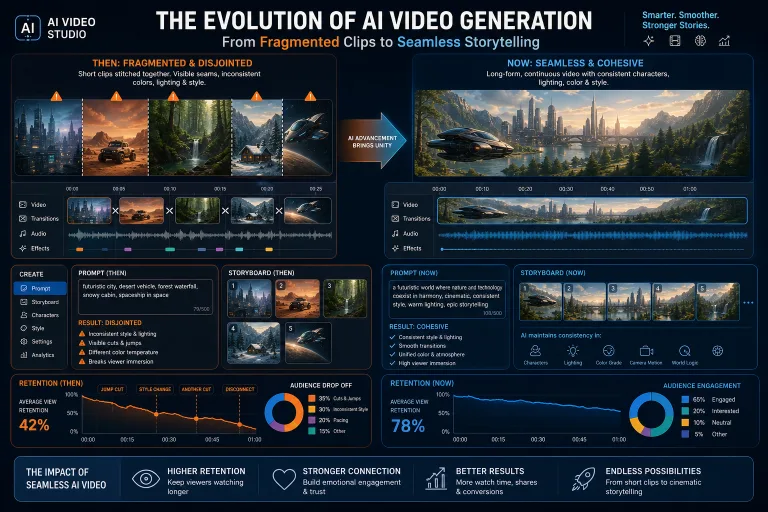
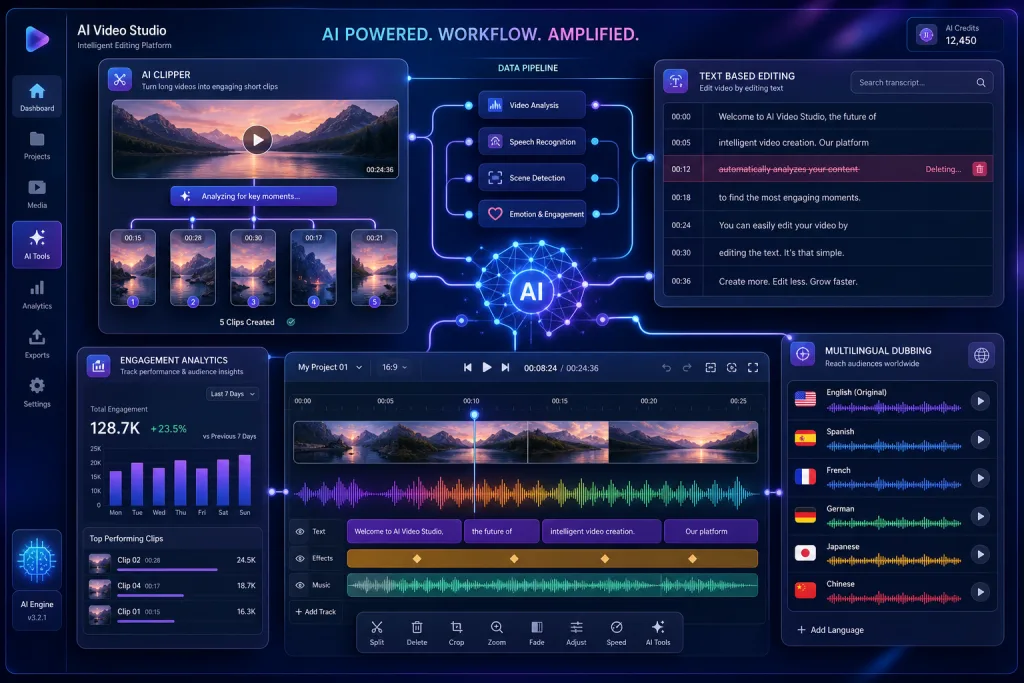
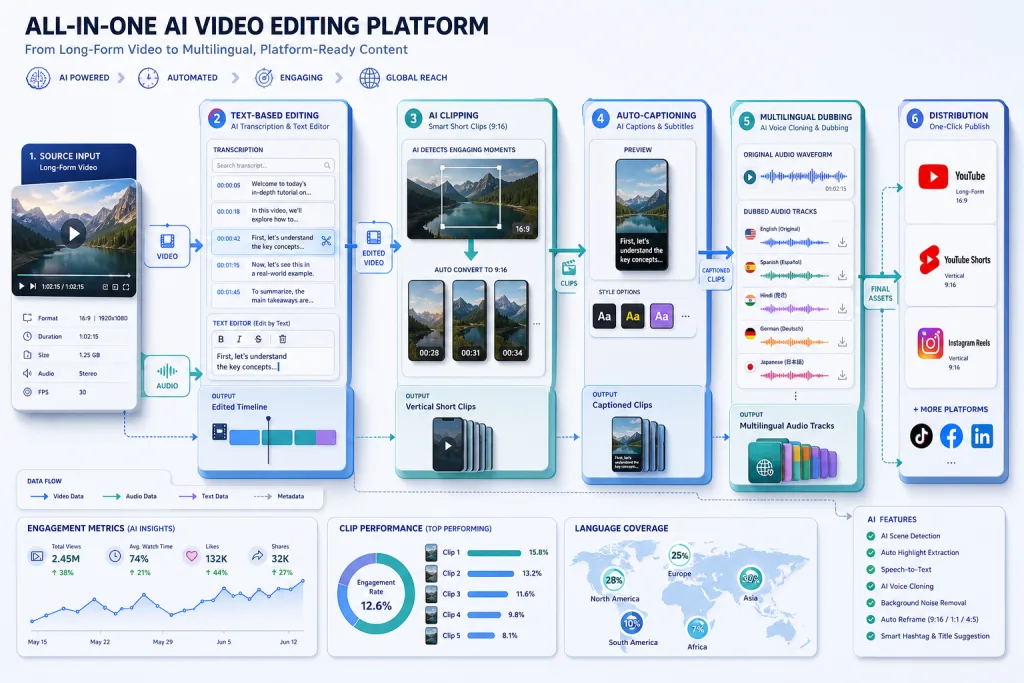
An all-in-one AI platform for video brings together in a single interface functions that previously required separate tools: generating video from text and images, text-based editing, clipping long content into Shorts, auto-subtitling, translation and dubbing, as well as post-production—color correction, stabilization, relighting, and object removal.
The three platforms in today’s news represent three different approaches to consolidation.
CapCut — a web and desktop editor with an expanded AI toolkit. Text-based editing allows you to edit video via transcription: delete words, and the corresponding frames are deleted. AI Clipper automatically cuts long videos into Shorts and Reels. EditPilot acts as an editing assistant, suggesting cuts based on content. Most AI operations require sending data to ByteDance servers, which raises a separate governance issue.
Fetra AI — a pipeline “from the first prompt to the final video.” The user goes through the entire journey—script, generation, editing, subtitles—in one system without switching tools. It is suitable for teams that need rapid output without deep customization at every stage.
Xelta.ai — the broadest platform: AI video, images, voice, ads, AI studio, AI movies, and SocialVerse. It is positioned as a single hub for all creative tasks. It is ideal for teams producing content in multiple formats simultaneously—video, static images, voiceovers, and ad creatives.
Text-Based Editing: Transcription as the Editing Interface
Text-based editing is a feature that changes not just the tool, but the workflow itself. Instead of working with a timeline and clips, the editor works with a transcription: deleting words, phrases, or pauses, and the video rebuilds automatically.
CapCut implements this via speech-to-text with timecodes linked to each word. For content teams, this means three practical changes:
- Faster rough cuts. Removing “ums,” pauses, and repetitions is 3–5 times faster than manual timeline editing. The editor doesn’t look for the right frame on a tape but works with text like a document.
- Script-first approach to editing. The editor sees the text and can make structural decisions before visual editing—what to keep, what to cut, how to reorder.
- Subtitle integration. The same transcription is used for auto-subtitles, eliminating a separate step in the pipeline.
However, text-based editing via cloud AI requires uploading media to third-party servers. For content with privacy restrictions—closed interviews, NDA materials, regulated industries—this can be a blocker. Some CapCut features (auto subtitle cropping, background removal, speech-to-text) are performed locally, but AI clipping, relighting, and text-based editing happen in the cloud.
AI Clipping: From Long-Form to Short-Form
AI Clipper and similar tools (Vidyo, Wisecut) solve one of the most resource-intensive tasks for content teams: cutting long-form video—podcasts, webinars, interviews—into Shorts, Reels, and TikToks.
The algorithm analyzes the transcription, identifies semantic blocks, finds moments with high retention potential, and automatically crops for vertical format. The practical effect for content teams:
- One source, many formats. A one-hour podcast recording turns into 8–15 Shorts without manually editing each one.
- A/B testable hooks. AI Clipper can generate multiple cut variations with different starting points—one Short starts with a quote, another with a question, a third with context.
- Reduced labor. Instead of 30–60 minutes per Short, it takes 5–10 minutes to review and adjust the AI cut. Savings are 70–80%, provided manual review is included.
An important caveat: the AI clipper doesn’t always understand context. It might cut a segment that sounds appealing in isolation but loses meaning without the preceding paragraph. Check every Short for semantic gaps and brand alignment—especially for expert content where quote accuracy is critical.
All-in-One vs. Best-of-Breed: How Content Teams Should Choose
The choice between an all-in-one platform and a stack of specialized tools depends on five factors. Each is a specific question a content team must answer before choosing a tool.
Production volume. A team producing 50+ videos per month gets a real benefit from all-in-one automation—fewer switches, faster rendering, unified export. A team with 5–10 videos per month can afford manual assembly from specialized tools.
Format mix. If a team makes only Shorts, they need a narrow tool for vertical editing with deep settings. If it’s a mix of long-form video, Shorts, ads, and social content, all-in-one reduces tool switching and unifies the brand profile.
Localization. All-in-one platforms with built-in dubbing and translation save a separate step. But the quality of built-in dubbing often falls short of specialized platforms—ElevenLabs for voice, Sync for lip-sync. For 2–3 languages, built-in translation is sufficient. For 10+ markets, it’s not.
Data governance. All three platforms operate in the cloud. If content requires local processing—regulated industries, NDAs, GDPR—a different class of tools is needed: desktop AI editors with local models.
Switching cost. Moving from separate tools to an all-in-one platform is a workflow migration, team retraining, and vendor lock-in risk. For a fine-tuned pipeline with 10+ roles, this is a serious decision, not just a tool change.
Localization and Dubbing: Built-in vs. Specialized
Xelta.ai includes voice and translation in its overall toolkit. CapCut added AI translation. But for professional video localization, this is often insufficient.
Specialized platforms offer what all-in-one tools cannot yet deliver at the required quality level:
- Lip-sync. Sync is positioned as a platform for synchronizing lip movements with the translated track—critical for lecture content and direct-to-camera addressing. Without lip-sync, localized video looks cheap.
- Voice cloning. ElevenLabs trains a voice on less than a minute of audio, providing brand consistency in localized versions—the same voice speaking 10 languages.
- Story-first approach. FilmSpark AI is positioned as a platform where the script drives production. For content teams working with long explainer videos, this is more important than editing gimmicks.
For content teams localizing into 5+ languages, a combined approach works best: all-in-one for rough localization and routine languages, specialized tools for final dubbing and key markets. This doesn’t make the pipeline more expensive, because dubbing is the most labor-intensive part, and its cost in a specialized tool pays off in quality.
Data Governance: What Goes to the Cloud
CapCut routes most AI operations to ByteDance servers. Some features—auto subtitle cropping, background removal, speech-to-text—are performed locally. But AI clipping, generation, relighting, and text-based editing require cloud processing.
For content teams, this means three questions to resolve before starting work, not after:
- What gets uploaded? Source video files, transcriptions, prompts, intermediate renders—everything leaves your infrastructure. For a one-hour 4K interview, that’s gigabytes of data.
- Where is it stored and processed? Data might be processed in another jurisdiction—risks for GDPR, NDA, and regulated industries. Check the processing region in your commercial agreement.
- Who has access? Cloud AI platforms might use uploaded data to train their models unless the contract forbids it. For content teams, this means your brand materials could become part of the training pool.
A practical approach: divide content into three categories—public (cloud processing acceptable), internal (requires data agreements and exclusion from the training pool), and confidential (local processing only). For confidential content, use desktop AI tools or local models—it’s slower, but safer.
Integration into the Content Pipeline
All-in-one platforms deliver the highest ROI when integrated into content operations, rather than being used as a standalone tool opened occasionally. The integration workflow looks like this:
Planning. The content calendar determines what goes through the all-in-one tool (high volume, standard formats, public content) and what goes through the specialized stack (premium, custom, confidential).
Production. Long-form video is recorded once, uploaded to the platform for clipping and editing. The transcription is simultaneously used for text-based editing, subtitles, and translation—one pass, three outputs.
Localization. The transcription is exported to a specialized dubbing tool for languages requiring lip-sync. For routine languages, the all-in-one built-in translation is used. This splits the pipeline into two streams but doesn’t double the work.
Publishing. Finished formats are distributed across platforms—YouTube for long-form, Shorts and Reels for short-form, web for explainer videos. All-in-one platforms often have built-in publishing, but for content teams with multiple channels, a separate distribution tool is better.
Analytics. Retention metrics by format feed back into planning—which Shorts perform better, what length is optimal for AI clipping, which hooks drive the highest watch time. Without this, the all-in-one tool turns into a black box: you produce more, but don’t know what works.
Checklist: Implementing an All-in-One AI Video Platform
- Define your production volume and formats—this determines if consolidation is needed
- Divide content into three categories by data sensitivity: public, internal, confidential
- Check which AI operations run locally and which in the cloud
- Compare built-in dubbing quality with ElevenLabs or Sync on your target languages
- Set up the workflow: one recording → clipping → text-based editing → localization → publishing
- Implement a review for every AI-generated Short for semantic gaps and brand alignment
- Evaluate vendor lock-in: can you export projects and move to another tool without data loss?
FAQ
How does an all-in-one AI platform differ from a stack of specialized tools?
All-in-one combines generation, editing, clipping, subtitling, and localization in one interface. This reduces switching between tools but might fall short in the quality of each individual function. A stack of specialized tools delivers better results for each task but requires more integrations and internal team coordination.
Is it safe to upload videos to CapCut for AI processing?
Most CapCut AI operations run on ByteDance servers. Source files, transcriptions, and prompts leave your infrastructure. For public content, this is acceptable. For content under NDA or in regulated industries—check the commercial agreement and data processing terms before uploading.
Is built-in AI translation enough for video localization?
For routine localization into 2–3 languages—yes. For professional dubbing with lip-sync for key markets—no. Use all-in-one for rough localization and specialized platforms (ElevenLabs, Sync) for final dubbing on priority languages.
How much time does AI clipping save for Shorts?
When producing 10–15 Shorts from one long video: manual editing takes 5–10 hours, AI clipping with review takes 1–2 hours. The savings are 70–80%, but each Short requires review for semantic gaps and brand alignment.
What content format is best suited for all-in-one platforms?
High volume of standard formats: Shorts from podcasts, explainer videos, social creatives, ad materials. Premium content with custom production, unique visual style, and strict localization requirements is better produced in a specialized stack.