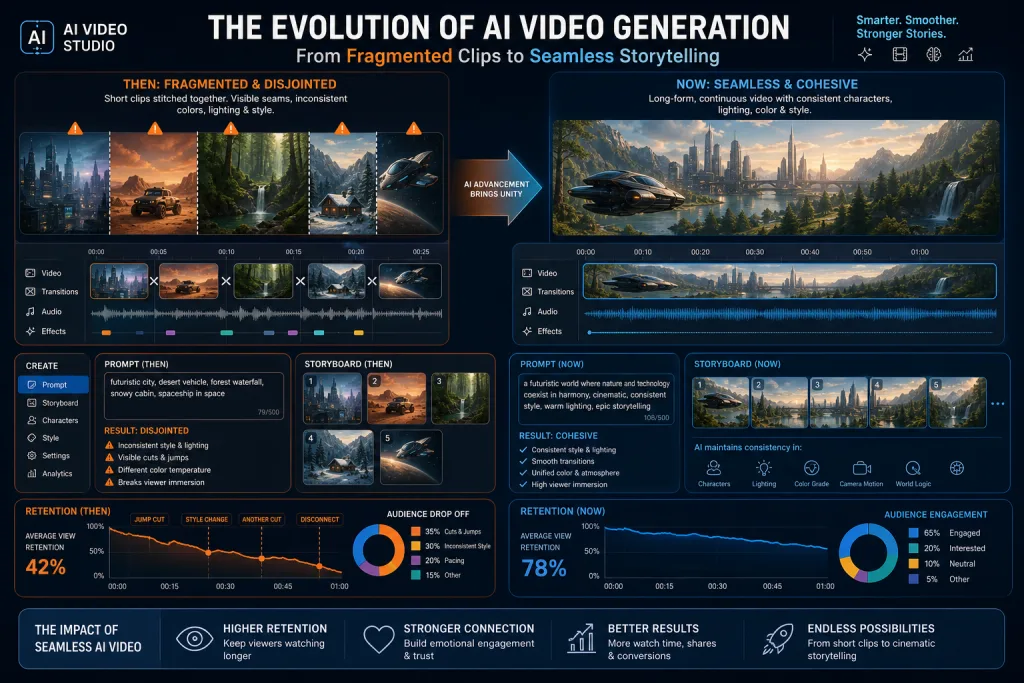
The generation of AI video models released after Sora 1 and Veo 1 solved production’s biggest pain point: long-horizon consistency. Early generative video meant 4–10 second clips stitched together, with broken geometry, vanishing objects, and shifting lighting. Today’s models maintain scene, character, and style consistency over minutes — and that changes not just output quality, but the entire pipeline: from storyboarding to localization and distribution across YouTube, Shorts, and ad formats.
For content teams, this means shifting from “AI as a clip generator” to “AI as a production engine,” where generative video becomes the structural backbone of a video, not a decorative element. In this article: how to rebuild your video production workflow around these new capabilities, which stages change, where bottlenecks remain, and how to measure results.
What Changed: From Stitched Clips to Long Consistent Scenes
Early models — Sora 1 (announced February 2024) and Veo 1 (Google I/O, May 2024) — generated fixed short frame sequences from a single text prompt. Producers got a set of beautiful but disconnected clips. To assemble a one-minute video, you had to generate 10–15 variants, pick the best ones, and stitch them together — with inevitable inconsistencies.
Modern models solve three key problems:
- Temporal consistency — objects, lighting, and scene geometry hold throughout the entire generation, rather than “resetting” every few seconds.
- Character persistence — the same character or object stays recognizable from frame to frame, which is critical for storytelling and brand videos.
- Multi-shot coherence — the model understands the concept of multiple shots within a scene and maintains spatial logic between them.
This isn’t a cosmetic improvement. It’s a shift that lets content teams use generative video not for cutaway inserts, but as the foundation of a video — with real narrative structure.
Why Video Models Are Becoming the Core of Multimodal Production
Text LLMs have long been embedded in editorial pipelines — from drafting to localization. But video models are now evolving faster in terms of practical applicability for content teams, and here’s why:
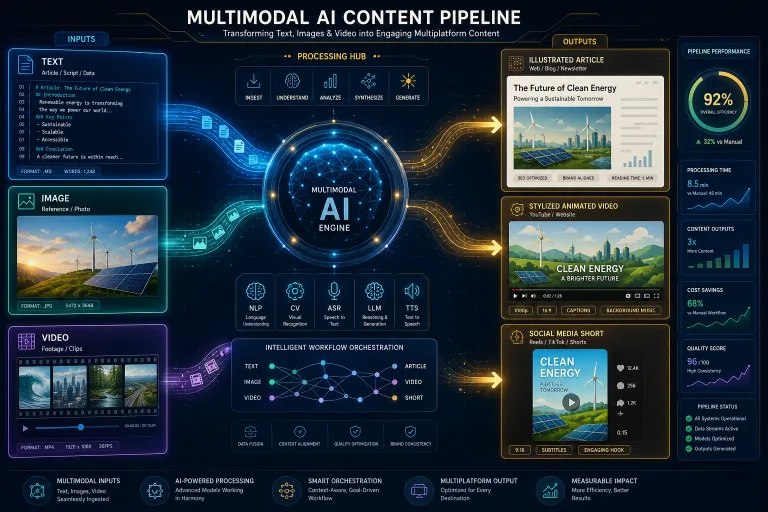
First, video is the most expensive format in production. Shooting, editing, graphics, color grading, voiceover — every stage costs time and money. AI video generation compresses this cycle. Second, video models are becoming multimodal on the input side: they accept not just text, but images, reference video, and audio. This lets you build pipelines where the script, storyboard, and final video are all generated within one system.
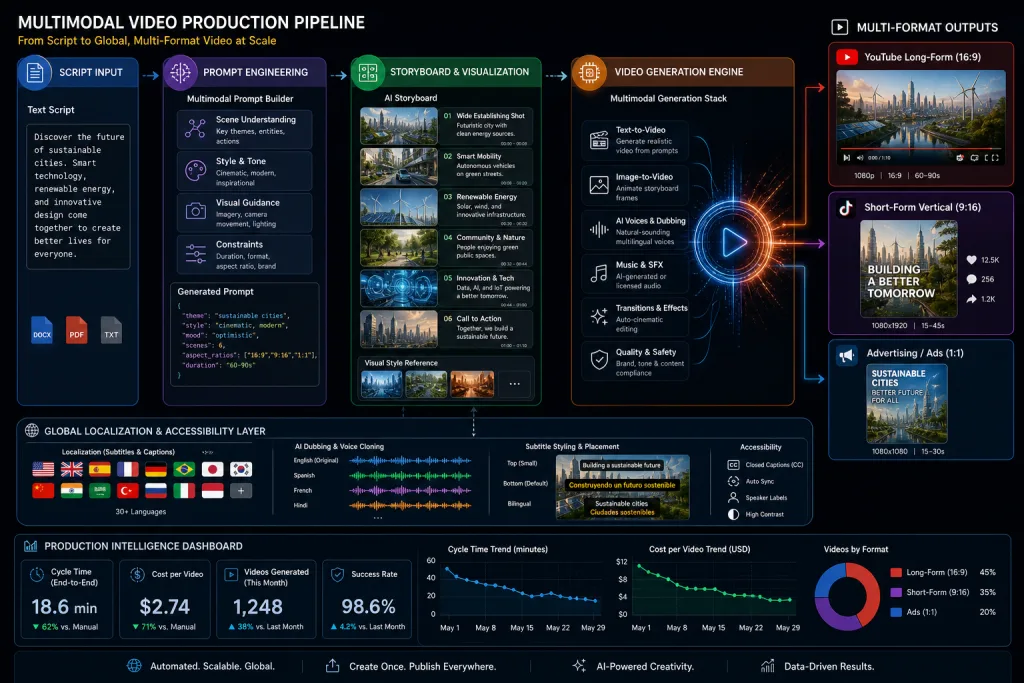
Third, video models handle spatial and physical scene understanding better than purely language-based models. This means generative video can serve not just as output, but as a visualization tool — for example, prototyping a video concept before shooting.
How to Restructure Your Video Production Workflow
The old AI video workflow looked like this: write a script → generate clips → stitch them together → fix manually. The new workflow needs to account for the model’s ability to hold an entire scene together. Here’s how that changes each stage.
Script and Prompt Engineering
The script is no longer just voiceover text. It becomes a structural prompt that defines visual style, palette, editing rhythm, number of shots, and object behavior. Content teams need video prompt templates — the equivalent of system prompts for text, but with visual parameters.
A practical approach: split the script into two layers — narrative (what happens) and visual (how it looks). The narrative layer defines the action; the visual layer defines style, lighting, and composition. This lets you change the style without rewriting the story.
Storyboarding and Previsualization
Static-frame storyboards are being replaced by generative previsualization: the model produces a rough video cut that the team evaluates at the concept stage. This shrinks the “idea → approval” cycle from days to hours. For YouTube teams, it means being able to test 3–4 video concepts before choosing the final one.
Generation and Iteration
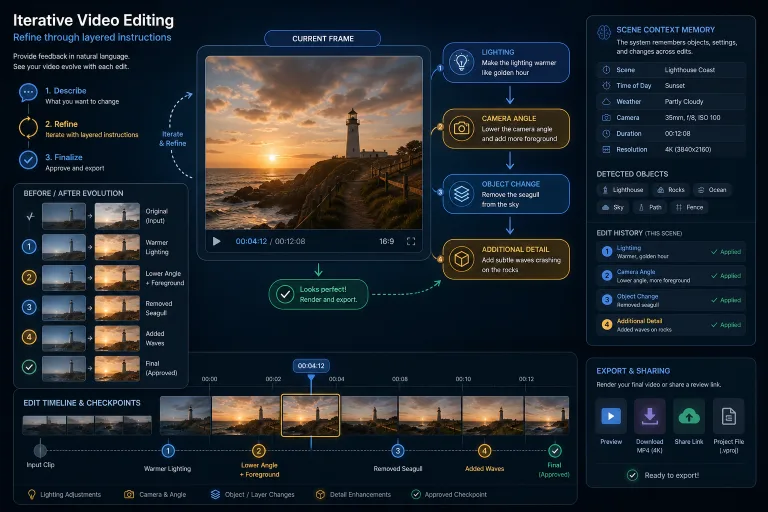
Instead of generating 15 clips and stitching them manually, you generate a long scene with control over key parameters. The team iterates not on individual frames, but on entire scenes: changing style, pacing, composition. This requires a different approach to versioning — tracking versions of the prompt system, not versions of clips.
Editing and Post-Production
Editing becomes a layer of composition, not correction. Previously, editors spent time masking inconsistencies between clips. Now they focus on rhythm, sound design, color, and transitions. This elevates the editor’s role from technical operator to creative editor.
Practical Scenarios for Different Formats
YouTube: Long-Form Explainer Videos
For 5–10 minute YouTube formats, scene consistency is critical. Viewers stay engaged when the visual flow doesn’t “break.” New models can generate 20–40 second segments with stable style — enough to build an explainer video with coherent visual logic.
Strategy: break the video into 8–12 segments, each a separate scene with its own prompt, but sharing a common visual style defined in the system prompt. This gives structural unity with content variety.
Short-Form: Shorts, Reels, TikTok
In short formats, consistency is less critical — viewers don’t expect it. Speed and variety matter more. Teams can generate 5–10 versions of the same video with different visual styles and test them with audiences. Here, AI video works as visual A/B testing.
Ad Videos and E-Commerce
For advertising, brand consistency is a requirement, not a nice-to-have. New models can maintain brand palette, typography, and product style throughout a video. Tools like TopView and InVideo AI already embed brand controls into generation. For e-commerce, this means generating product videos from a catalog without shooting.
Localization and Dubbing: A New Level
Long, consistent scenes change not just visual production, but localization too. Previously, AI dubbing suffered from desync: characters’ lips didn’t match the translated audio track, because each clip was generated separately. With consistent scenes, synchronization becomes manageable — the model “knows” the mouth geometry and can adapt lip sync.
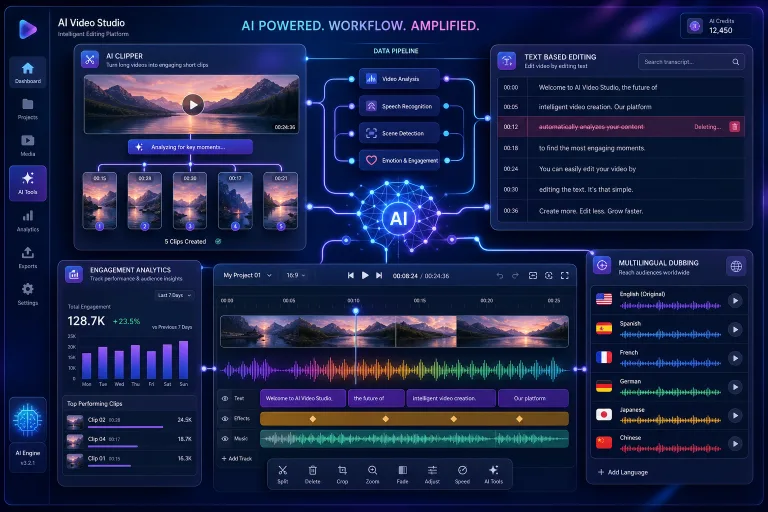
For content teams, this opens up a scenario: generate a video once, then localize it into 10–15 languages with AI dubbing while preserving visual integrity. Subtitles are generated automatically from the transcript, and cultural adaptation happens through prompt systems that adjust visual elements (colors, symbols, on-screen text) for the local market.
Bottlenecks: Where AI Video Still Breaks
Despite progress, three problems remain:
- On-screen text — models still struggle to generate readable text inside video. For content teams, this means titles, infographics, and call-to-action overlays need to be added during editing, not generated.
- Physical accuracy — object interactions (a hand picking up a cup, a door opening) often look unconvincing. This is acceptable for explainer and abstract videos, but not for product demos.
- Composition control — the model doesn’t always place objects where needed. The solution: image-to-video — the team creates a key frame in a design tool, then animates it through the model.
Metrics and Evaluating Results
How do you measure the return on AI video production? Not by the number of generated videos or minutes of output. Practical metrics:
- Cycle time — time from idea to published video. Target benchmark: 2–3x reduction compared to traditional production.
- Cost per published video — total cost including generation, editing, and localization. Compared against a traditional production baseline.
- Retention rate — audience retention on YouTube and short-form platforms. If scene consistency works, retention should improve.
- Localization coverage — number of language versions published per week. AI dubbing should increase this metric without linear cost growth.
- Concept test velocity — how many visual concepts the team can test before choosing the final one. A metric for previsualization quality.
Integration into Content Operations
AI video production doesn’t exist in a vacuum. It needs to be embedded into the overall content operations model — alongside the text pipeline, localization, and distribution. Practical steps:
Decide which formats move to AI generation and which stay with live shooting. Don’t try to replace everything — some formats (interviews, product demos with a real product) aren’t yet suitable for generation. Define an AI video producer role — a specialist who manages prompt systems, versioning, and quality control. Build a library of prompt templates and references — similar to a text prompt library.
Checklist: Transitioning to AI Video Production with Long Scenes
- Identify 2–3 formats for a pilot (short-form, explainer video, ads) — don’t switch all formats to AI video at once.
- Create a prompt template with two layers: narrative (action) and visual (style, palette, composition).
- Test consistency on a 30-second scene — check object, lighting, and style retention.
- Set up a localization pipeline: transcription → AI dubbing → subtitles → cultural adaptation of visual elements.
- Implement cycle time and cost per published video metrics — compare against a traditional production baseline.
- Define the AI video producer role and build a library of prompt templates and references.
What’s Next: Physical Understanding and Robotics
The broader trend behind this article points to a larger shift: video models are evolving toward physical understanding of the world. This means models are learning not just to generate beautiful frames, but to understand how objects interact — gravity, collisions, deformation. For content teams, this means that in 12–18 months, product demos, training videos, and simulations will become realistic scenarios for AI generation — not just abstract and stylized videos.
Content teams that start restructuring their workflows now will find it easier to integrate future model generations. Those waiting for “perfect quality” risk falling behind — because the competitive advantage won’t go to those using the best model, but to those who built an operational system around it.
FAQ
How do new AI video models fundamentally differ from Sora 1 and Veo 1?
Early models generated short, fixed clips from a single prompt — 4–10 seconds with inconsistencies between scenes. Modern models maintain consistency of objects, lighting, and style over minutes, support multi-shot coherence and character persistence. This lets you use generative video as the foundation of a video, not just a set of inserts.
Which video formats work well with AI generation, and which don’t?
Works well: explainer videos, abstract graphics, short-form content, stylized ads, e-commerce videos from a catalog. Still struggles: interviews, product demos with a real product, videos with precise on-screen text, scenes with complex physical object interactions.
How do you localize an AI-generated video into multiple languages?
Pipeline: transcribe the original audio → AI translation → AI dubbing with lip sync → automatic subtitles → cultural adaptation of visual elements via prompt systems. Scene consistency improves dubbing quality because the model maintains character mouth geometry.
Which metrics should you use to evaluate AI video production?
Key metrics: cycle time (idea to publication), cost per published video, retention rate on platforms, localization coverage (language versions per week), concept test velocity (number of tested concepts). Don’t use number of generated videos or minutes of output as a success metric.
Do you need a dedicated AI video producer role on the team?
Yes, if the team regularly produces 5+ videos per week with AI generation. This role manages prompt systems, versioning, quality control, and integration with editing and localization. Without a dedicated role, responsibility gets diluted and quality becomes inconsistent.